How to Record a Podcast (It’s Easier Than You Think!)
This is it: time to record a podcast, and there’s more to it than simply hitting the “record” button. Fortunately, not that much more to it, though. Recording a podcast can be a pretty easy process when you know how. And after reading this guide, you will!
With that in mind, here’s a quick summary of how to record a podcast. Let’s break it down into three main parts:
- Planning: What prep do you need to do so that the recording goes smoothly?
- Equipment: What gear do you need to record a quality show?
- Software: What tools do you need to be able to capture your audio?
By the end of this article, you’ll know everything you need to record a podcast. All that’s left is to hit that big red button, and get your voice out into the world!
A quick heads up before we go. We use some affiliate links, which help support all of our free content, though rest assured, they never influence our opinions. If you choose to buy through them, we’d earn a small commission. This is never at any extra cost to you.
With that all said, let’s crack on…
1. Planning to Record a Podcast
I know, this might be seen as “the boring bit”, so I won’t dwell on it. But having a plan is the difference between recording a podcast and recording an audio or video file.
Planning Your Topic
Firstly, there’s the overall topic of your podcast to nail down.
And once you have your main topic in mind, the Alitu Showplanner can help you hone it into a fully fleshed-out plan, complete with a list of episode suggestions, a trailer script, and more ideas to make your show unique.
Planning Your Episode
Once you know the topic of your first episode, it’s a good idea to have a plan in place for that, too.
Podcast episodes come in various formats, from solo monologues to co-hosted chats and interviews.
No matter which format you opt for, think about the overarching hook of the episode. What will your listener walk away with at the end of it all?
This will all factor into the bullet points, questions, or talking points you have listed in front of you when you get behind the mic. These anchor points help you stay focused and on track. They’re what’s known as your podcast script.
2. What Equipment Do I Need to Record a Podcast?
So now you have a better idea of what you’re going to say and how you’re going to say it.
But what gear do you need to record it?
A Microphone
First, let’s capture that voice. That’s what the humble microphone is designed to do. You can find a collection of the best podcast microphones right here, so have a browse through and pick something that fits your space and budget.

If you want to keep things simple, go for a USB microphone. You’ll plug that right into your computer and record there. No other equipment needed, just software, which we’ll cover below.
A USB mic is ideal for anyone recording a solo show, or if you’ll be recording with others over the internet (more on software for this below, too). And, let’s be honest, that’s 90% of the podcasts out there!
Our favourite (and most recommended) mic is the Samson Q2U.
👉 Check out the Samson Q2U on Amazon
You can often buy the Samson Q2U with a desk stand and a pair of headphones for under $100, and it works with both USB and XLR. Check out our full review of the Samson Q2U to get into the details.
Mounting Your Mic
Unless you’re using a lavalier mic (more on those, shortly), it’s a good idea to mount your mic on a boom arm. This will really help your mic technique, presentation style, and just make you feel more professional.
Avoid ultra-cheap boom arms at all costs, though. They’re creaky and can fall apart before your eyes. A couple of our favourites are the Rode PSA1+ and the IXTech Lizard.
Do I Need a Digital Recorder or USB Audio Interface?

According to our 2024 Podcast Gear & Software report, over half of podcasters use an audio interface, digital recorder, or mixer.
The primary reason to add one of these to your setup is to record with others who are in the same room as you. You never want to share a microphone, and it’s tricky to record with more than one USB mic on a single computer.
With a USB audio interface like the Focusrite Scarlett 2i2 or Vocaster 2, you can run two XLR mics (like the Samson Q2U) into your computer.
Or, if you’d rather be away from the computer altogether, a digital recorder is the perfect option. These let you plug in multiple XLR mics and record on separate tracks. The Zoom range is great, and the Zoom PodTrak P4 even lets you record phone calls and play “live” music and sound effects.
If money is no object, the Rode Rodecaster II is an incredible all-in-one podcast recorder. Total overkill for most creators, but many aspire to own one nonetheless.
What About Smartphone Recording?
Many podcasters record directly into smartphones, and the quality has come on leaps and bounds in recent years.
Even the built-in mics on the average new smartphone sound good, though adding in external kit will help you with better technique and more consistent delivery.
My favourite smartphone recording kits are the Rode Wireless Micro and the BOYA Mini. Both are extremely affordable, and enable you to record yourself alongside an in-person guest or co-host.
Your Podcast Recording Studio, Reverb, & Background Noise
You can employ the best gear and software in the world, but if you’re using them in a sub-par environment, your podcast can sound bad.
Excessive reverb will make even the most thorough and well-planned content sound amateurish. And hearing your flatmate playing Grand Theft Auto in the background is going to distract from your message, too.
The good news is that creating a pro-sounding podcast studio doesn’t need to be difficult or expensive. Check out our full guide there for a load of different options on that front.
The way you use a mic also impacts its sound quality. We can help you sound your best in front of whatever mic you use with our microphone technique for podcasters’ guide.
You’ll find sophisticated AI audio cleanup via tools like Alitu on the market, these days. AI audio cleanup isn’t an excuse to get sloppy or not care about your source material. But it can be a lifesaver in a pinch. Check out these sound samples for an example of what’s possible:
Noise Reduction
Reverb Elimination & Technique Optimisation
Recording Video Podcasts
There’s no rule to say that you must record video as well as audio, but if you do, you’ll need some additional equipment.
On the mic front, the Samson Q2U is still a great option. But if you’re really leaning into the visuals, it can look a bit utilitarian. A few video podcasters I know prefer the look of something like the Shure MV7+ or Rode Procaster instead.
You can use your built-in webcam to get started, but if you’re looking to upgrade, then the Logitech C920 is a fine choice. Video podcast lighting is a whole subject of its own, but you get some good little kits for mounting cameras and illuminating your shots.
We get deeper into this in our pillar guide: How to Make a Video Podcast in 2026
3. What Software Do I Need to Record a Podcast?
Regardless of your podcast format, if you’re recording into your computer, you’ll need some software to capture it.
Let’s look at the options.
Recording Solo into your Computer
I’ll start with the simplest option first: recording a podcast alone.
If you’re flying solo, Audacity is an obvious and free choice. It’s also the most popular podcast recording tool, with 17% of creators using it to record and 24% using it to edit their shows.

Audacity and other tools like Adobe Audition and Reaper are known as DAWs, or Digital Audio Workstations. They each have powerful capabilities that give you intricate control over your productions, but they have their downsides, too:
- DAWs can take time and effort to learn
- They don’t have remote recording capabilities
- They don’t have video recording capabilities
But if you just want to record solo audio monologues, then Audacity is a great free on-ramp.
Remote Recording: Audio & Video
Most podcasters want the option to record with guests or co-hosts worldwide. Fortunately, we’re well covered in that area nowadays.
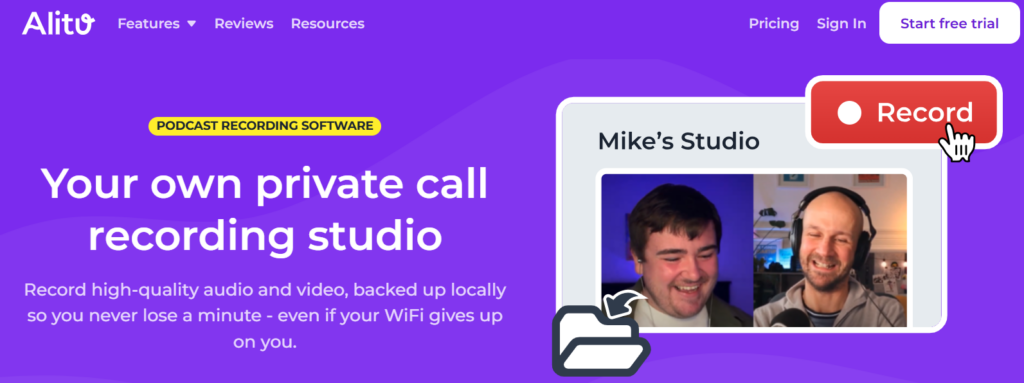
I’ve mentioned podcast maker tool Alitu already for its amazing post-production capabilities. Alitu is also a fully-fledged podcast recording platform, too.
Alitu lets you record audio or video, and it runs those recordings locally on each participant’s computer. This protects your recordings from WiFi dropouts and other such glitches.
With Alitu, you can also publish and distribute your podcast, meaning you have everything you need in one single account. Try it free for seven days and see for yourself!
Some other great podcast recording tools we’ve used in recent years are Zencastr, Riverside, and Iris. Check out a full list of pricing and sound samples in our remote recording tools roundup.
You can also record your podcast on Zoom, and many do. The audio quality isn’t remarkable, but it gets the job done. Just be aware that on the Zoom free tier, you’ll be limited to recording sessions of no more than 40 minutes.
Smartphone Recording Software
If it’s a phone you’re using, then any default voice or video apps will do the trick for solo episodes, or if you have a co-host with you and are recording with wireless lavalier kit.
If you want to record remotely, then, honestly, I’d recommend using a computer or laptop. The Riverside mobile app is a decent attempt at doing this on a phone, but in my experience, it’s still a bit unreliable.
How to Record a Podcast in the Same Room
Most podcasters record remotely these days. But if you’ve got the luxury of getting everyone in the same room, the ideal setup is what I covered earlier in the audio interface and digital recorder section.

Best Digital Voice Recorders in 2026: From Budget to Pro-Level Gear
Read article called: Best Digital Voice Recorders in 2026: From Budget to Pro-Level GearYou’ll want something like the Focusrite Vocaster 2 (computer needed) or Zoom PodTrak P4 (no computer needed) with an XLR mic like the Samson Q2U for each person.
When recording in the same room, avoid sharing mics. Give everyone their own microphone and record each person on a separate track. It makes editing far easier and leads to a cleaner, more consistent sound!
Once You’ve Recorded That Podcast
You’ve done the hard bit. Though, hopefully after reading this guide, it wasn’t hard at all!
There are still a few things to do to get that episode out to the world, and Alitu ensures they’re all quick and straightforward.
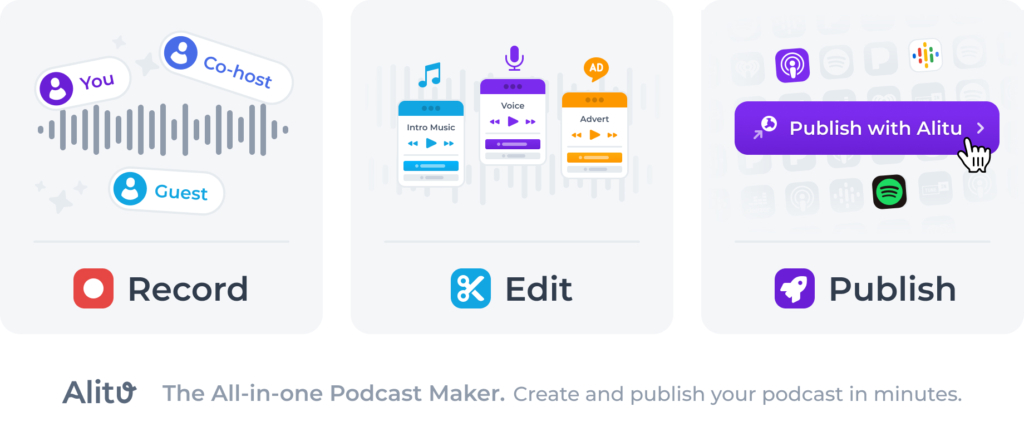
Firstly, you can top and tail your recording and easily remove any mistakes or interruptions. You can even edit by deleting text from Alitu’s automatically generated transcripts.

At the touch of a button, you can remove ums, ahs, and long pauses.
Alitu automatically cleans, levels, and optimises your audio. In the episode builder, a simple drag-and-drop interface lets you add music, segments, and transitions.
When your episode is ready, you can publish and distribute it to Apple Podcasts, Spotify, and hundreds of other platforms – all from within Alitu.
No matter what kind of podcast you make, Alitu gives you everything you need to save time and smooth out the tech. Try it free for seven days and see for yourself!