Launching a Video Podcast in 2026: Gear, Software, and Platforms
31% of indie podcasters publish full video versions of their shows, whilst another 32% are considering it.
That’s according to data from the 2025 Independent Podcaster Report.
Video is a good fit for some creators, but an uneccesary extra for others. If you’re still weighing up whether to add a visual component to your show, check out Should I Make a Video Podcast?
But if you’re already won over to the idea of doing a video podcast, or just want to learn more about how it all works, then you’ve come to the right place.
Here, I’ll show you what you need to record, edit, and publish your video podcast. We’ll run through software and gear options, as well as where you can actually upload your finished episodes.
A quick heads-up before we begin: we use some affiliate links to products and services we think you might find useful. If you choose to buy through any of these links, we’d earn a small commission, though never at any extra cost to you. Affiliates help support all of our free content, but rest assured, they never cloud our judgment or influence our recommendations.
Alright, with that all said, let’s start with video podcast software.
Best Software For Recording Your Video Podcast
Most video podcasts are remote interview-style conversations. If this is the type of show you’d like to make, then you’ll need software that can record you and your guest or co-host.
It helps if the recording software is “double-ended”, too. This means it’ll record each participant locally, and protect the audio and video from WiFi dropouts and ropey connections.

Alitu records this way, and its powerful editing and production tools, combined with hosting and distribution options, make it a fantastic all-in-one platform for podcasters.
Some other recording platforms I’ve used and rate highly are Riverside, Squadcast, Iris, and Zencastr. Riverside also includes editing and publishing, making it another great all-in-one option.
Your video podcast doesn’t need to be remote conversations to run on these platforms, either. You can record solo episodes or, with the right equipment, record local guests in your studio, too.
Best Software For Editing Your Video Podcast
Our podcast gear report found Audacity, Adobe Audition, and GarageBand to be the three most popular podcast editing software options. But none of those has video editing capabilities.
If you’d like to keep things simple, then recording and editing in the same software makes sense. You can do this with both Alitu and Riverside. Squadcast also integrates with Descript, so that’s another good option for video podcasters.
Zooming in on Alitu for a second, it was built specifically to solve the problem of podcast editing. For beginners, it was hard to learn, and even for experienced creators, it was taking way too long.

Alitu reinvented podcast editing from the ground up, and added a bunch of powerful automation tools along the way. Tricky processes like noise reduction, compression, EQ, and volume levelling are all handled for you under the hood.
You can also remove filler words and long pauses at the touch of a button, and text-based editing means you can make cuts to your video simply by deleting text in Alitu’s automatically generated transcripts.
Using an all-in-one platform flattens the learning curve and speeds up your process. But if you’d like to get more granular with your production, then check out our roundup of the best video editing software platforms, including tools like Veed, Filmora, Adobe Premiere, Final Cut Pro, and Camtasia.
🟢 Video Podcast Editing Software
Video Podcast Equipment List
We’ve covered video podcast software, but what about the hardware? You’re going to need some physical kit to help bring your show to life.
Camera
Almost all laptops come with cameras built in, so you can get started right away without waiting on external gear.
With the quality of smartphone video now, getting multiple cameras together to record should be easy, too. Many podcasts use a multi-camera setup for their video podcasts. It’s not necessary to use multiple cameras, but it can make your videos look much more dynamic.
If you’re looking to upgrade beyond built-in cameras, the Logitech C920 is a popular USB webcam option. The C920 offers HD 1080p recording, has built-in lighting adjustment, and costs around $70.
One of my favourite cameras right now is the YoloCam S3, whilst Colin has been really impressed with the Obsbot Tiny 3.
Tripod
You’ll need to be hands-free when recording your podcast, especially if you’re handling the recording process yourself. Most videographers recommend using a tripod.
You’ll typically find tripods that work as selfie sticks and come with Bluetooth controls. As it happens, your tripod can also act as your lighting, so I’ll offer an all-in-one recommendation in the next section.
Lighting
Think about your video podcast lighting in two stages: lighting yourself first, then lighting the background.
A soft light source for faces is best, a second light for the background to create depth, and a third source to fill the space. The third light can also accent hair, or create a ‘hot or cold’ sidelight for the face.
You can light your background with existing lighting in your home or office; it’ll just take some experimentation, as there are so many factors at play, from the colour of the walls to what time of day it is.
Colin uses Philips Hue lights for his backdrop. He admits that they’re not the cheapest option, “but the colour control is excellent, which is what I care about.”
If you’re looking for an affordable and portable lighting option that doubles up as a camera mount, check out this UBeesize LED Ring Light with 62” Tripod Stand and Magnetic Phone Holder.
Microphone & Audio
Audio has become a pitfall for many video podcasters. There’s a danger of spending so much time on how things look that you neglect how they sound.
Great audio quality doesn’t begin and end with mic choice. Technique plays a big role, as does the sound of your environment. These are entirely separate topics, but the short of it is:
- Get as close to the mic as you can without popping it, letting it hide your mouth, or curbing your presentation style.
- Fill your room (or use a room) with as many soft furnishings and absorbent surfaces as possible.
As for the mic you use, you don’t need to break the bank. My favourite all-rounder mic is the Samson Q2U, which you can often buy with a set of headphones for less than $100.
One criticism of the Q2U is that it isn’t the most aesthetically pleasing mic for video. If you feel that way, then you might be prepared to spend a little more on the Rode Procaster, Shure MV7+, or Samson Q9U instead.
With any of these mics, you’ll want to mount them on a boom arm. Boom arms don’t just look more professional on camera; they also help improve your presentation and delivery. Our favourites are the Rode PSA1+ and the IXTech Lizard.
Lavalier mics are also excellent options for video podcasters. These small, unobtrusive microphones clip onto your clothing, keeping your hands free and your face clear for the camera, without sacrificing audio quality.
Check out the Rode Wireless Micro and BOYA Mini for two excellent, affordable lav mic options.
🟢 Podcast Microphones
Adding Video Podcast Thumbnails
Compelling cover art has always drawn listeners in. For video podcasts, your YouTube thumbnail offers an even stronger visual hook.
Podcast thumbnails are a whole science of their own, but here are some top-level tips:
- Bold, Clear Visuals: Use high-contrast colours and simple imagery so your thumbnail is recognisable even at small sizes.
- Readable Text: Keep titles short, around 3–5 words, with large, legible fonts that stand out against the background.
- Consistent Branding: Stick to a consistent colour palette, logo placement, or layout style to make your episodes instantly identifiable.
Many YouTube experts say that faces showing expressive emotions tend to perform best. Whether you want to pretend to be shocked or amazed every time you release an episode is entirely your call. Personally, I think that style of thumbnail has jumped the shark. When everyone’s doing it, it loses its punch.
But hey, I’m not the algorithm 😆
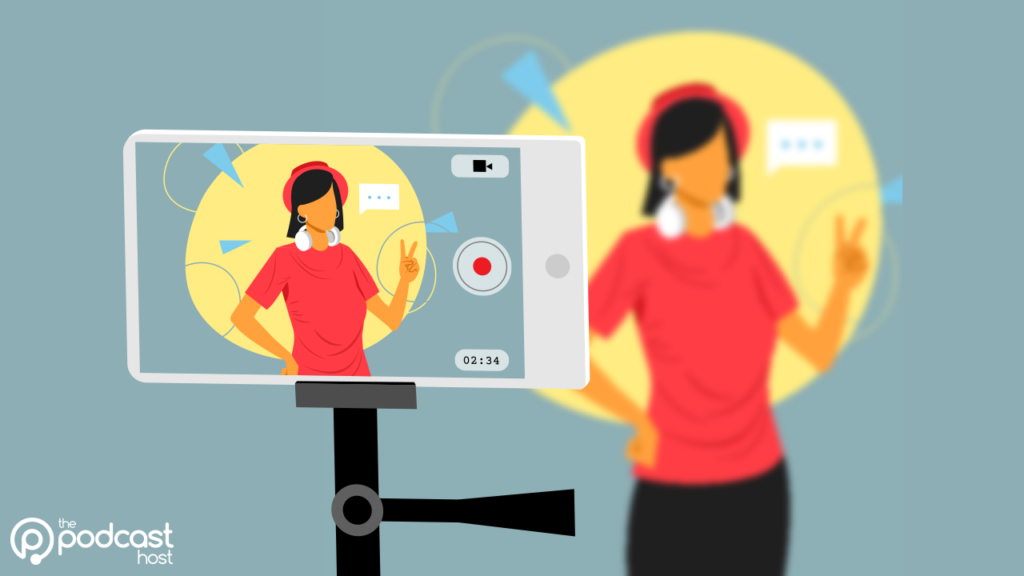
If you’re looking for a free tool to make great custom thumbnails for your video podcasts, then check out Canva. There, you’ll find loads of different designs and templates!
Publishing Your Video Podcast
Uploading an audio episode is a simple one-time process in your podcast hosting account. Unfortunately, publishing video episodes isn’t just as straightforward.
Publishing Video Podcasts on YouTube
YouTube is likely the first place you think of when it comes to publishing video podcasts.
You’ll need to log in to YouTube and upload your videos each time you publish a new episode. Inside YouTube Studio, you can group these episodes into a playlist and mark it as a “podcast”.

Some hosting providers offer YouTube integration, but these take the audio episode and create a static image “video” on the platform. This is great if you don’t record video, but it falls short if you do.
Publishing Video Podcasts on Spotify
There are two ways to approach video podcasting on Spotify:
If Your Show is Hosted on Spotify
Upload your video episodes directly. The video will play on Spotify, but in other podcast apps such as Apple Podcasts or Overcast, the episode automatically converts to audio.

If You Host Your Show Elsewhere
You can still add video through Spotify for Creators. Go to your episode list, click the three dots next to an episode, and upload a full video version.
The video will only play on Spotify and will not change the episode in other podcast apps. A key detail is that Spotify now serves the audio from the video file. This applies even to listeners who only play audio, and the episode will stop dynamic ad insertion. One to keep in mind if you rely on sponsorship!
Publishing Video Podcasts on Apple Podcasts
Apply Podcasts has supported video via open RSS for years, but its execution has been a little clunky. In 2026, they announced improved video support via HLS.
Podnews offers an in-depth look at how this technology works. But one big takeaway is that video podcasts are managed in your hosting account – meaning you don’t have yet another place to upload a siloed video.
But, this is still at a very early stage, and Apple only currently partners with four hosting providers: Acast, ART19, Omny Studio and Simplecast.
This isn’t worth moving hosting providers for. It’ll take time for video to gain traction on Apple Podcasts, but it should gradually become more accessible. Focus on YouTube and Spotify for now, and check in with your hosting provider regularly for updates on Apple video podcasts.
Summary: Video Podcast Guide
If video aligns with your podcasting goals, then hopefully this guide has helped you choose your tools and plan a sustainable workflow.
Remember, video isn’t essential, so check out Should I Make a Video Podcast? if you’re still undecided.
And if you’re running a video podcast, make sure it doesn’t rely on visuals. The majority of podcast audiences listen away from the screen, so, to paraphrase James Cridland, it must work when the eyes are busy.

And, whether you run a video show or focus entirely on audio, be sure to check out podcast-maker tool Alitu. Its recording, editing, and publishing tools make podcasting easy for beginners and save time for experienced creators. Try it free for seven days and see how it works for you!